
Smart Power Strips: Do They Save Money, and Which One to Buy
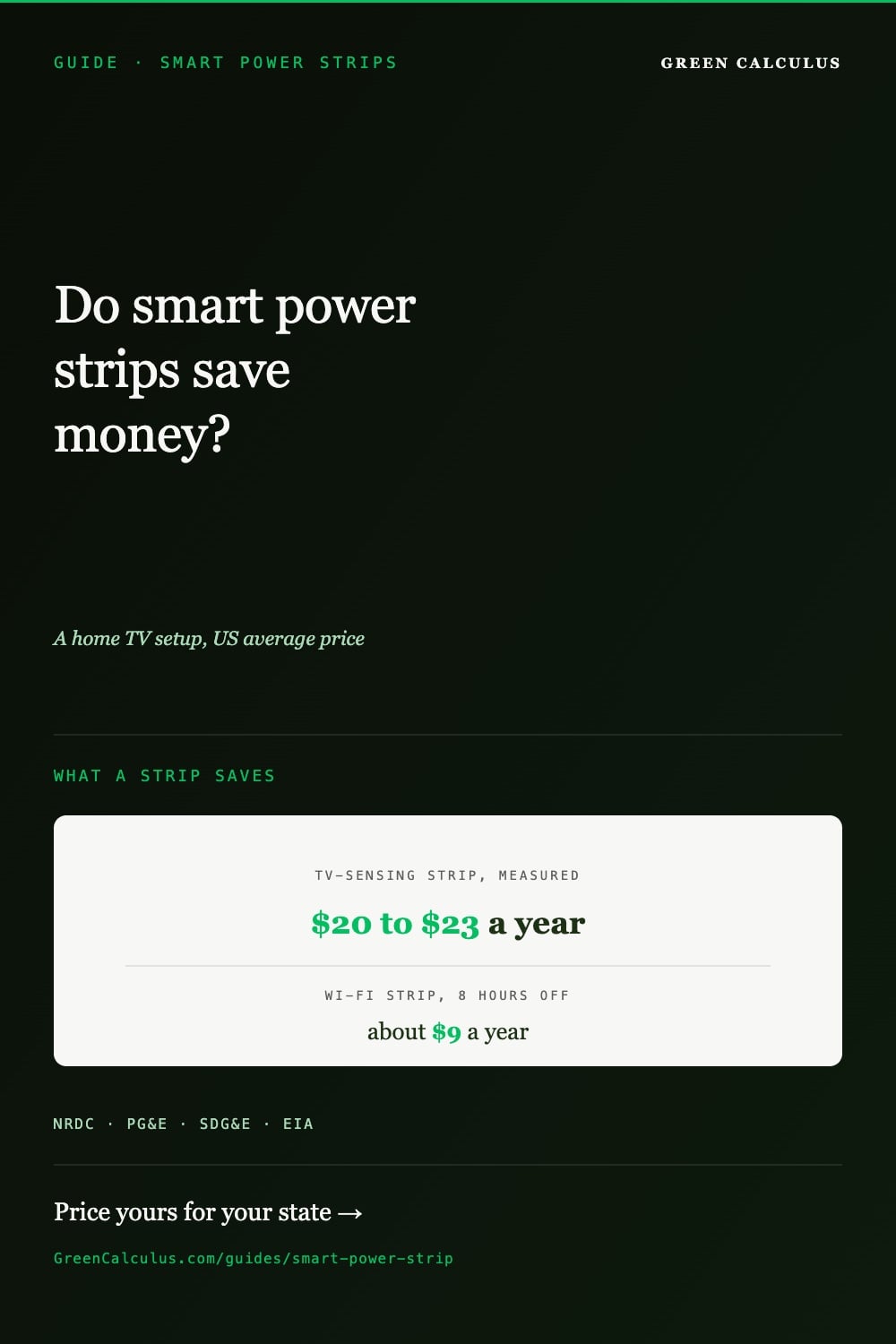
Yes, behind a TV. When utilities measured TV-sensing (“Tier 2”) power strips in real homes, they saved 110 to 125 kWh a year, about $20 to $23 at the US average electricity price. A Wi-Fi smart strip saves only what its schedule switches off, about $9 a year for a TV setup off 8 hours a day, and on phone chargers alone it uses more than it saves. Best buys: the Embertec Emberstrip 8AV+ for a TV, the TrickleStar TS1104 for a desk, and the Kasa HS300 if you want app control and per-outlet meters.
- Tier 2: senses your remote
- 6 switched, 2 always on
- Tier 1: follows one device
- 1,080 J, UL 1449
- 6 outlets, each metered
- App, schedules, voice
- 6 outlets, each metered
- Matter: Apple Home too
“Smart power strip” covers two different products. One kind cuts power automatically when your TV or computer is not in use. The other is a Wi-Fi strip you control from your phone. Most roundups rank them together without saying how much either one saves. This guide uses the utility field trials that measured them, shows what yours would save at your state’s electricity price, and says when a strip is not worth buying.
Do smart power strips save money?
Behind a TV, yes, a little. In a California field trial, a home TV setup (the TV plus its cable box, sound system and other gear) used about 463 kWh a year, about $84 at the US average price of 18.19 cents per kWh. A strip can only save the part of that used while nothing is being watched.
Utilities have measured how much of it the strips actually save. Pacific Gas and Electric metered homes before and after a TV-sensing strip went in: savings were 110 kWh a year for a TrickleStar model and 125 kWh for an Embertec model, about a quarter of the TV setups’ use. Trials that simulated the Embertec strip instead of switching it found more, 214 to 234 kWh, but a 2017 review of the research found the simulated results ran higher than the measured ones, so we use the measured figures. Older strips that switch accessories off when the TV goes off (“Tier 1”) saved a median of 43 kWh a year on a TV setup and 28 kWh on a home computer in earlier utility studies.
| Strip | On a TV setup | On a computer desk |
|---|---|---|
| TV-sensing (Tier 2), measured in homes | 110–125 kWh, $20–$23 | No home measurements |
| Follows one device (Tier 1), median of studies | 43 kWh, about $8 | 28 kWh, about $5 |
| Wi-Fi strip, off 8 hours a day on a schedule | 51 kWh, about $9 | 37 kWh, about $7 |
| Phone chargers only, any strip | Less than the strip’s own draw | |
The Wi-Fi rows are our estimate: the standby watts NRDC measured for a TV and sound gear, or a desktop and printer, times 8 hours a day, minus about 1 watt for the strip’s own Wi-Fi. TP-Link does not publish how much its strips draw, so that 1 watt is an assumption, the ceiling a 2012 industry working group set for energy-saving strips. Use the picker above to change the hours and price it for your state.
What is drawing power when it is off
More than most people expect. NRDC analysed smart meter data from about 70,000 Northern California homes and found an average of 164 watts drawn around the clock, 22.5% of the homes’ electricity. Over a year that is about 1,400 kWh, roughly $260 at the US average price. Part of it is equipment that has to stay on, such as a fridge’s controls, a router or a security system, but much of it is electronics waiting in standby. For a TV on its own, see how much electricity a TV uses, including what its quick start setting costs.
| Device | Standby | A year at 18.19¢ |
|---|---|---|
| Cable or satellite box | 16 W | 140 kWh, $25 |
| TV | 13 W | 114 kWh, $21 |
| Modem | 11 W | 96 kWh, $18 |
| Desktop computer | 9.5 W | 83 kWh, $15 |
| Sound system, soundbar or receiver | 7.5 W | 66 kWh, $12 |
| Laptop (plugged in) | 7.1 W | 62 kWh, $11 |
| Printer | 6.3 W | 55 kWh, $10 |
| Wireless router | 5.5 W | 48 kWh, $9 |
These are averages from NRDC’s 2015 audit, and your devices may differ: newer models often draw less, but game consoles with “instant on” and many smart TVs can draw more. NRDC found a TV’s “quick start” setting using as much as 37 watts around the clock in some models, over $55 a year. Turning that setting off costs nothing and can save more than any strip.
Phone chargers are the exception. Federal rules since 2016 limit a phone charger to 0.1 watts with nothing attached, so five left plugged in all year use about 4.4 kWh, around 80 cents. A Wi-Fi strip’s own draw is more than that.
To see what your own devices draw, plug them into a plug-in meter such as a Kill A Watt, which some libraries lend. Energy Trust of Oregon’s guide says to leave it plugged in for at least an hour, or a day for devices that cycle on and off.
Smart strip, advanced strip or Wi-Fi strip?
- TV-sensing strips (Tier 2 advanced power strips) watch for your remote control’s signal, and some also sense movement in the room. After a stretch with no remote use and no one moving, they switch off the TV and everything plugged in with it, including a TV left on with no one watching. That is why they save the most. The catch is that they can switch off during a long film if no one touches the remote. In PG&E’s trial, owners whose strip had an occupancy sensor were more satisfied than those without, because it switched off by mistake less often.
- Strips that follow one device (Tier 1 advanced power strips) have a control outlet. When the TV or computer plugged into it turns off, the switched outlets turn off too. They do nothing if the TV is left on, and you set a threshold so the strip can tell standby from on.
- Wi-Fi smart strips such as the Kasa HS300 switch each outlet from an app, by voice or on a schedule, and the better ones show each outlet’s energy use. They save only what your schedule or your phone switches off, and the strip itself stays on all day to keep its Wi-Fi connection.
- A plain strip with a switch saves as much as a Wi-Fi strip, with no standby draw of its own, if you remember to switch it off.
How to set one up so it saves
- Keep some things on the always-on outlets. A cable box that records, a modem, a router and a security hub need power to update, record or stay online. Switching them off can cost you a recording or a long restart.
- Put the TV or computer in the control outlet of a Tier 1 strip, and set its switching threshold so standby reads as off.
- Schedule a Wi-Fi strip for the hours you are asleep or out, not just overnight on weekdays. Each hour off counts.
- Turn off “quick start” or “instant on” on your TV and game console if you do not need it. NRDC recommends it if the setting draws more than a couple of watts.
- Check your utility’s online store before Amazon. Some utilities sell TV-sensing strips with an instant rebate for their customers; Arizona Public Service’s marketplace, for example, lists the Emberstrip.
What not to plug into a power strip
- Space heaters. The US Consumer Product Safety Commission says never to power a heater with an extension cord or power strip. See our safest space heater guide.
- Anything near the strip’s rating. Check the amps or watts printed on the strip against what you plug in. TV and computer gear is usually well under it; heaters and other appliances that heat are not.
Surge protection is a separate feature from energy saving. Surge protectors are tested to the UL 1449 standard and rated in joules. All four of our picks include surge protection; the TrickleStar lists its UL 1449 rating.
Our picks
- Tier 2: senses your remote
- 6 switched, 2 always on
- Tier 1: follows one device
- 1,080 J, UL 1449
- 6 outlets, each metered
- App, schedules, voice
- 6 outlets, each metered
- Matter: Apple Home too
Embertec Emberstrip 8AV+ is a TV-sensing strip of the kind PG&E measured in homes, from the company that makes the most-studied Tier 2 strips. Plug the TV and its accessories into the six switched outlets and the cable box or router into the two always-on ones. It has few Amazon reviews, and the joule rating differs between its listings, so we leave that figure out. Its specifications are from the listing.
TrickleStar TS1104 is the simplest way to stop a desk’s monitor, printer and speakers drawing standby power: when the computer in the control outlet shuts down, the switched outlets go off. A switch on the strip sets the point at which it counts the computer as off (10, 22 or 42 watts). It is listed to the UL surge and power-strip standards.
Kasa HS300 is the Wi-Fi strip to buy if you want to see what each device uses: every one of its six outlets has its own energy meter in the Kasa app, and each can run on its own schedule. Use it to find your biggest standby draws, then schedule them off. TP-Link’s data sheet does not give the strip’s own power use.
Tapo P316M does the same with Matter certification, so it also works in Apple Home and SmartThings. Its specifications are from the listing.
How these were chosen
We looked for strips on Amazon of each kind the research covers: a TV-sensing (Tier 2) strip of the type utilities measured, a Tier 1 strip with an adjustable switching threshold and a UL surge listing, and Wi-Fi strips that meter each outlet. Savings use PG&E’s before-and-after measurements, the earlier utility studies summarised in San Diego Gas & Electric’s 2015 report, NRDC’s standby measurements and EIA residential electricity prices for January to July 2026. The figures are stored, with their sources, in our MasterBrain data layer. We have not tested these strips ourselves.
Sources
- Pacific Gas and Electric, Energy Savings of Tier 2 Advanced Power Strips in Residential AV Systems (ET13PGE1441, 2016), as tabulated in Johnson and Bradford, Tier 2 Advanced Power Strips: Examining Energy Savings Potential in a New and Changing Market (2017)
- San Diego Gas & Electric, Tier 2 Advanced Power Strips in Residential and Commercial Applications (ET14SDG8021 and ET14SDG8031, April 2015)
- NRDC, Home Idle Load: Devices Wasting Huge Amounts of Electricity When Not in Active Use (May 2015, PDF)
- Northeast Energy Efficiency Partnerships, Advanced Power Strips Deemed Savings Methodology (2012, PDF)
- US General Services Administration and NREL, Advanced Power Strips for Plug Load Control (GPG-003, 2012)
- 10 CFR 430.32(w): federal efficiency standards for external power supplies
- US Consumer Product Safety Commission, portable electric heater safety (PDF)
- Energy Trust of Oregon, Kill A Watt monitor guide (PDF)
- Arizona Public Service marketplace, Emberstrip Tier 2 Advanced Power Strip
- TP-Link, Kasa HS300 data sheet (PDF)
- U.S. Energy Information Administration, Electric Power Monthly, Table 5.6.B: average residential electricity price by state, January to July 2026 (year to date)
How we pick products for every buying guide: our buying guide standards.
Frequently asked questions
On a TV setup, a little. TV-sensing strips saved 110 to 125 kWh a year when PG&E measured them in homes, about $20 to $23 at the US average price. A Wi-Fi strip saves only what its schedule switches off, about $9 a year for a TV setup off 8 hours a day.
Yes, a little, to stay connected to Wi-Fi. TP-Link does not publish a figure for its strips; we assume about 1 watt, the ceiling an industry working group set for energy-saving strips, which is about 9 kWh a year. That is more than five phone chargers use with nothing attached.
NRDC found about 70,000 Northern California homes drawing an average of 164 watts around the clock, 22.5% of their electricity: about 1,400 kWh, roughly $260 a year at the US average price. Not all of it can be switched off.
An advanced power strip cuts power on its own: a Tier 1 strip when the TV or computer in its control outlet turns off, a Tier 2 strip when no one has used the remote for a while. A Wi-Fi smart strip switches only when you tell it to, from an app, by voice or on a schedule.
Hardly. Federal rules limit a phone charger to 0.1 watts with nothing attached, under 1 kWh a year, so five cost around 80 cents a year. Your TV, cable box and computer are where the standby power goes.